Club page to join flow
The public club home, quick links, events, tournaments, posts, calendar, and join path all live on the same club page and its web address.
Use Chess67 as chess club software for the year-round workflow: public club website, member signup, family accounts, events, tournaments, payments, calendars, announcements, and storefront operations without stitching together forms and spreadsheets.
Built for local chess clubs, scholastic programs, coaches, and tournament organizers
Public club pages, memberships, events, tournaments, calendars, posts, and payments
Family account support for parents managing children in clubs and scholastic events
One connected place for the whole club, not a one-off signup form or payment link
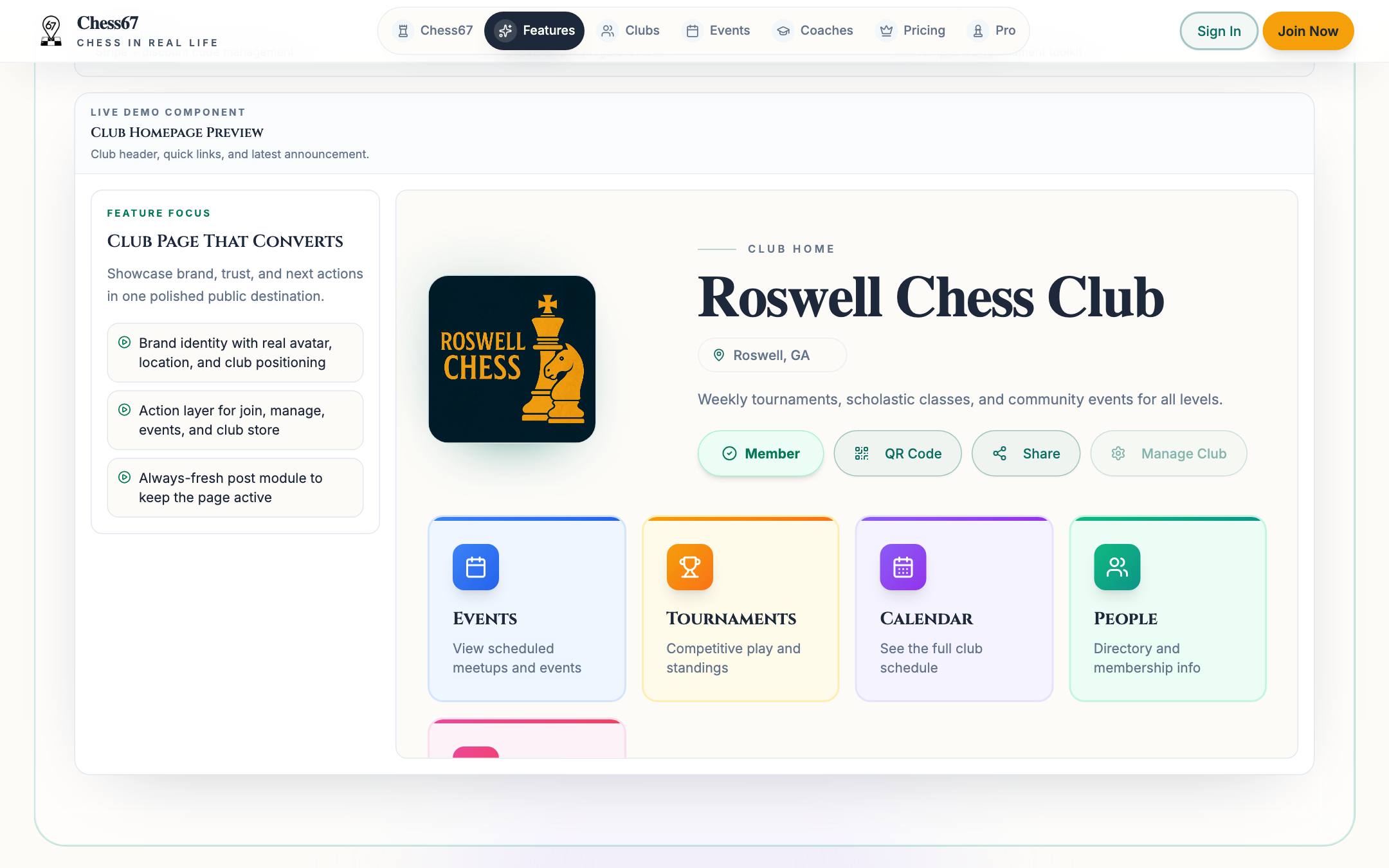
Click through the club surfaces organizers use every week: the public page, the calendar, in-club ratings, and member communication.
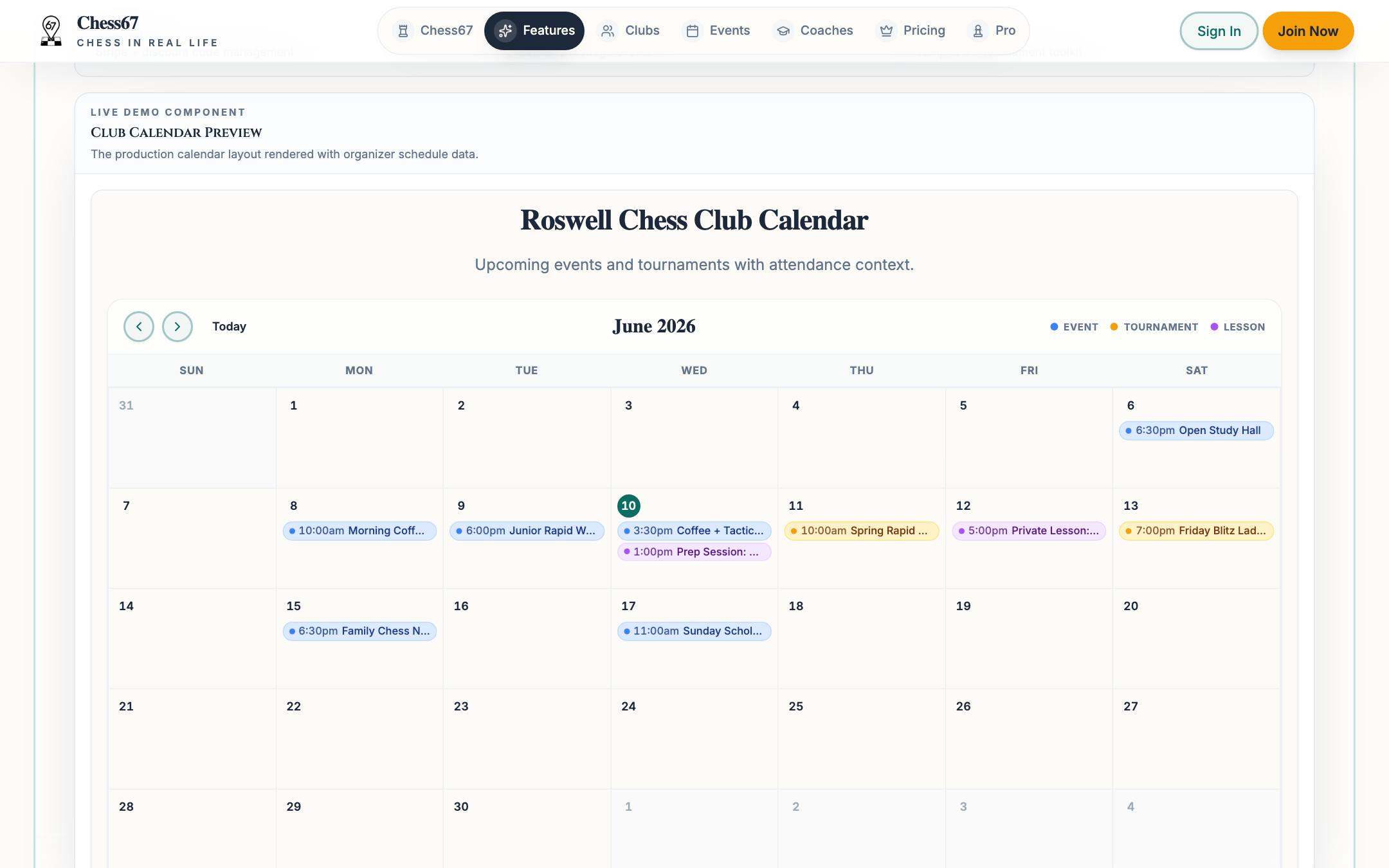
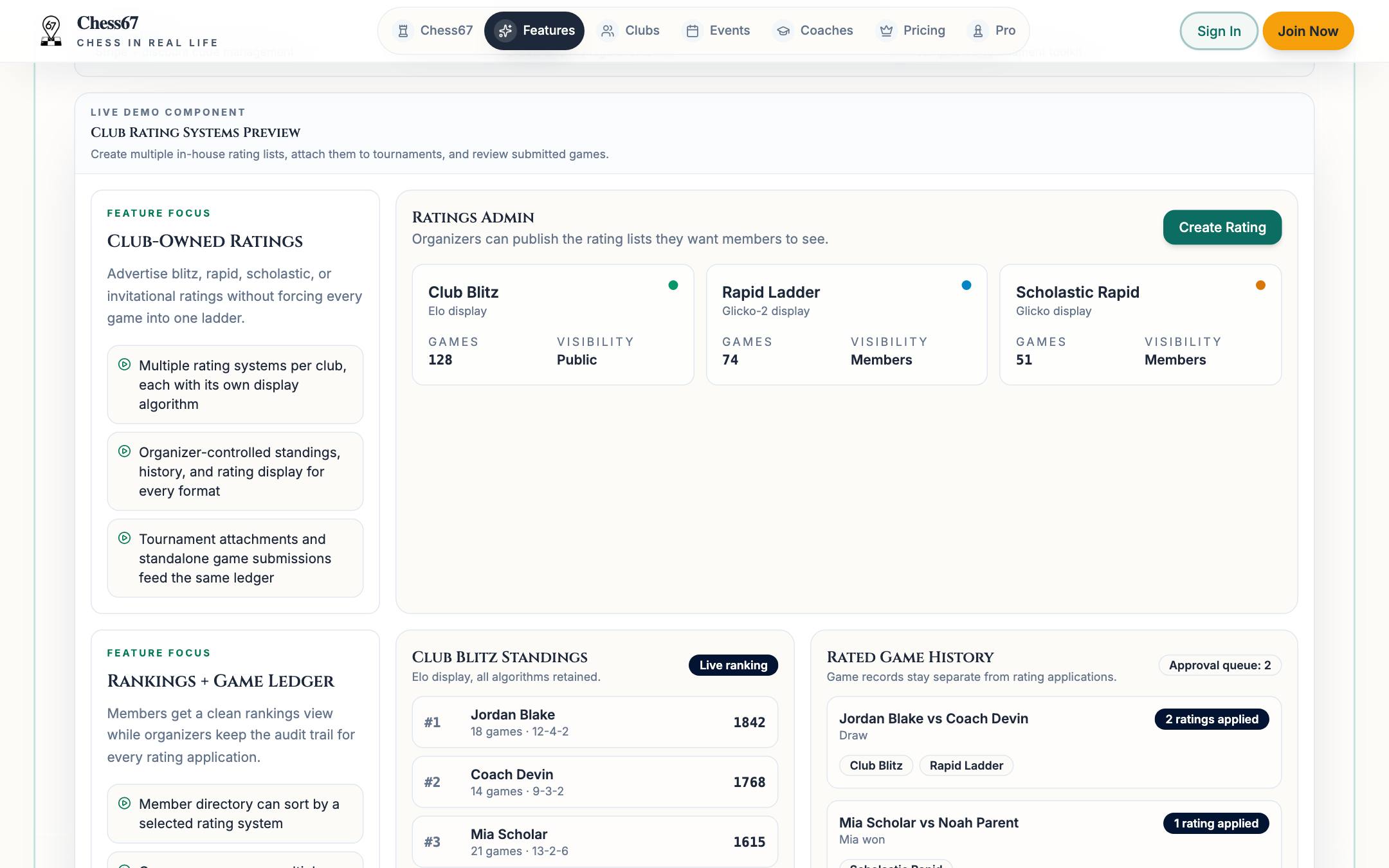
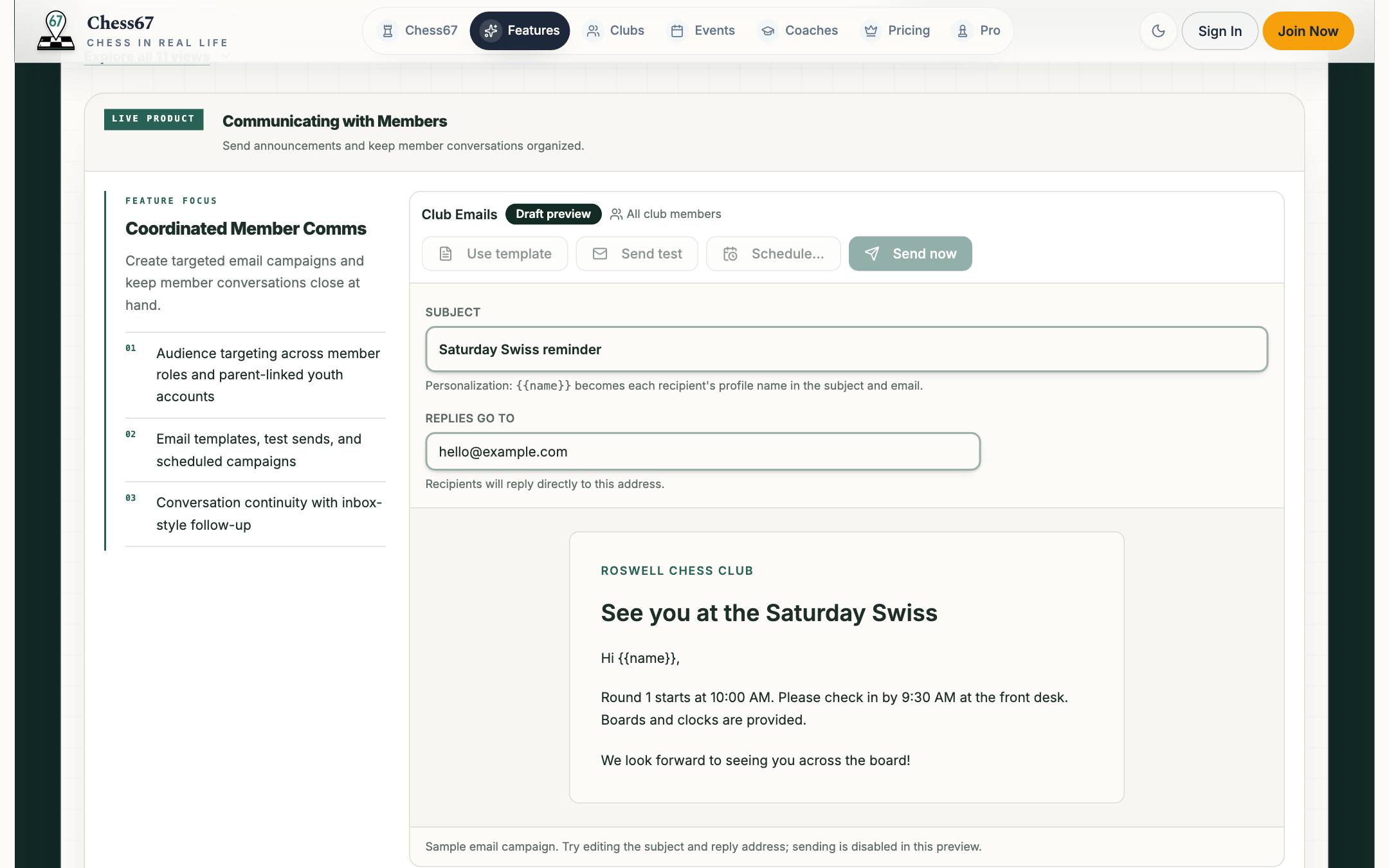
From one club account you can run the public page, roster, roles, groups, posts, calendar, payments, store, and tournaments.
The public club home, quick links, events, tournaments, posts, calendar, and join path all live on the same club page and its web address.
Club memberships, admin roles, member groups, active child profiles, and family-owned registrations stay in the same member workflow.
Sell dues, classes, camps, merch, and tournament entries from one checkout tied to your club account.
Posts, inbox messages, notification preferences, tournament alerts, and RSVP updates keep communication attached to club activity.
Chess67 grows with the club: start with a page and a calendar, then add payments, groups, ratings, and tournaments as you need them.
Publish a hosted page with your location, schedule, posts, and a clear join path that works from a QR code at the door.
Players and parents join with their own accounts; child profiles, roles, and member groups keep the roster organized.
Calendar, posts, announcements, and in-club ratings keep regulars engaged between events.
Dues, class fees, camp purchases, and tournament entries check out inside the same system as the roster.
When the club is ready, the same roster flows into registration, sections, pairings, and standings.
Every event feeds the club: results, posts, and follow-up reach the same members instead of scattering across old emails.
This is the organizer workspace with sample club data. Switch tabs to explore the club page, calendar, posts, groups, ratings, communication, payments, and events.
Preview mode is read-only: nothing you click is saved or submitted.
Most clubs do not fail because they lack interest. They lose time to fragmented tools: a website in one place, forms somewhere else, payment links, spreadsheets, inbox chains, and tournament files.
Launch a hosted club page with events, tournaments, posts, membership context, and a clear join path.
Track members, admins, groups, child profiles, family accounts, and the people who belong to each club workflow.
Publish regular club nights, classes, camps, and calendar feeds that stay connected to the club.
Move from club calendar to tournament registration, sections, pairings, standings, and live updates without a separate system.
Sell memberships, entries, lessons, camps, and club products with checkout tied to the organizer account.
Use posts, inboxes, notifications, and club communication tools instead of rebuilding the audience every week.
You manage member rosters in spreadsheets and collect updates through email.
Parents register children for events, camps, or tournaments but account ownership gets messy.
Your club calendar, website, tournament registration, and payment links are disconnected.
You need recurring announcements, posts, or direct communication with members.
Tournament data has to be copied from registration into another pairing or reporting workflow.
You want a public club page that can also convert searchers into members or event participants.
Run pairings, standings, sections, and live tournament workflows from the same club stack.
Use signup pages, checkout, and roster readiness for registration-focused workflows.
Support coaches who also run lessons, products, and student-facing workflows.
Build Elo, Glicko, or Glicko-2 club ratings for internal leaderboards and club games.
Compare desktop tournament operations with a broader club and tournament platform.
Compare registration-first workflows with connected club operations.
Browse live club discovery surfaces that Chess67 supports.
Launch a public club page, bring members in, and run the calendar, payments, ratings, and tournaments from the same place. Free to use; Chess67 charges a 2% platform fee only on processed sales, with processor fees separate and Stripe nonprofit discounts where available.