Registration handoff
Use clean roster data from public signup pages instead of rebuilding the field from forms and payment screenshots.
Run registration, Swiss pairings, single- or double-elimination brackets, standings, organizer communication, and live event operations from one cloud workspace.
Built for TDs, clubs, scholastic organizers, and recurring event operators
Swiss pairings, round robins, and single- or double-elimination brackets in one system
Rating imports, federation ID collection, and reporting prep in the tournament workflow
A cleaner replacement for spreadsheet-heavy and desktop-bound event operations
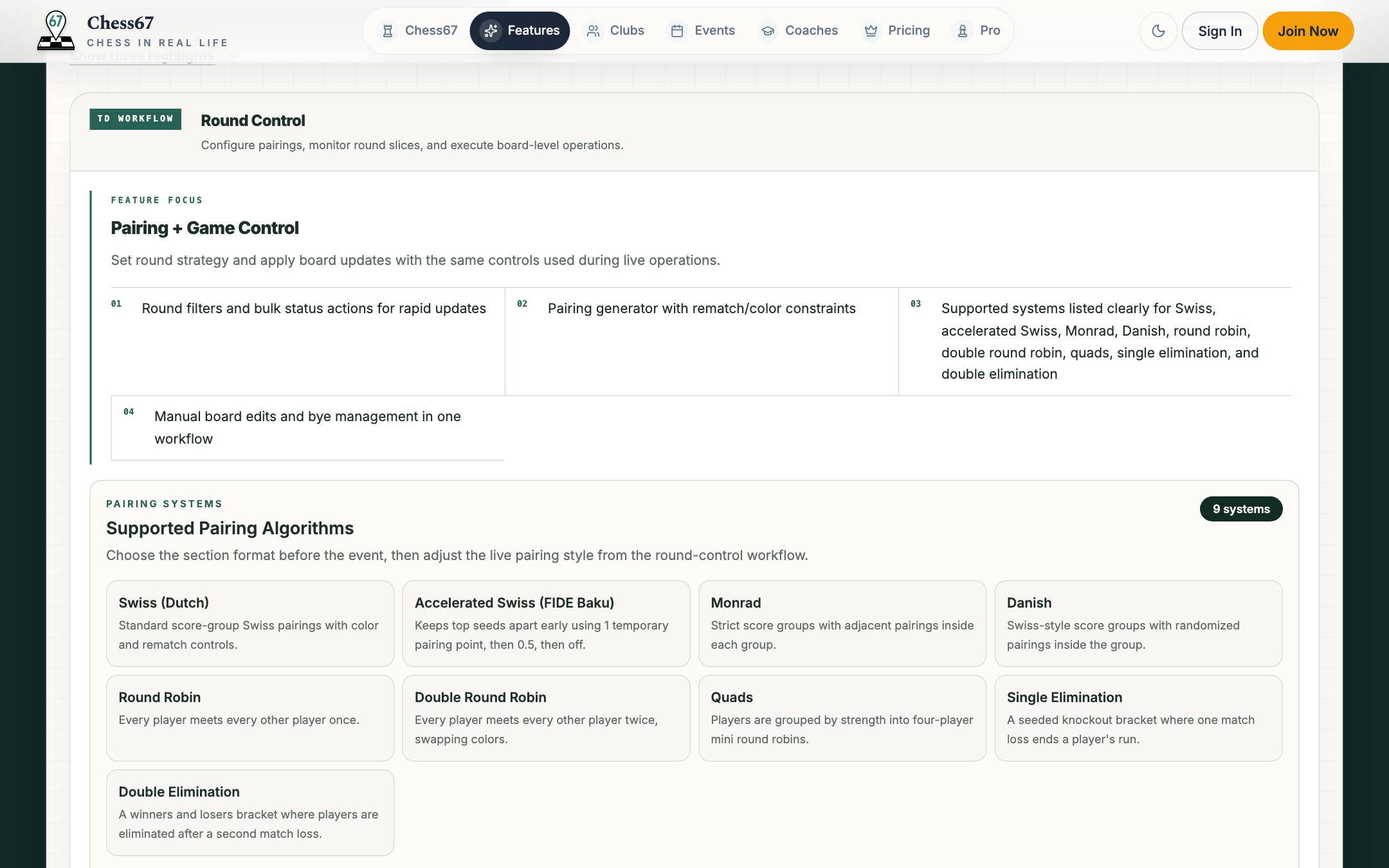
Click through the tournament-day surfaces: the create flow and public page, live pairings, participant management, and federation-ready exports.
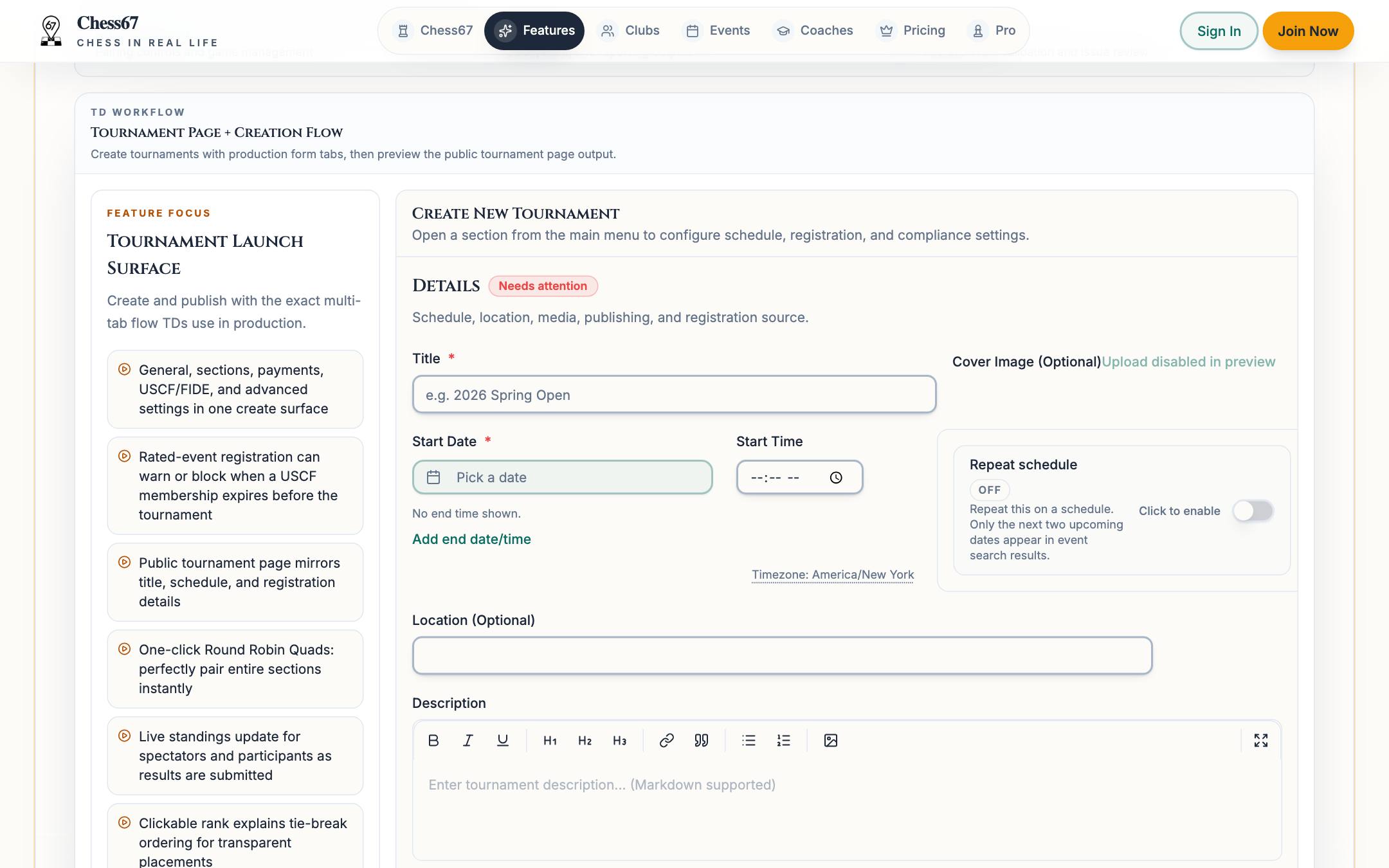
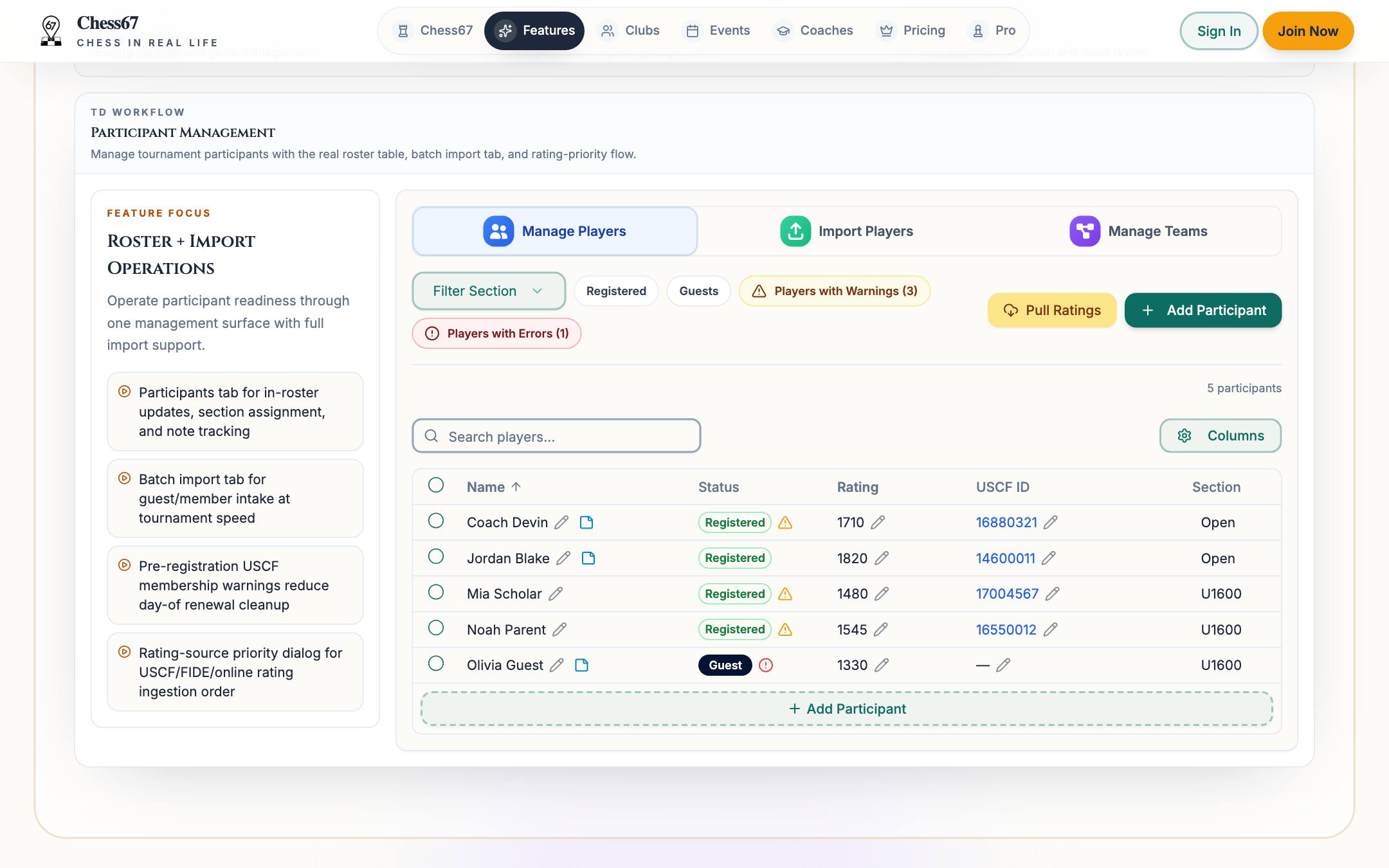
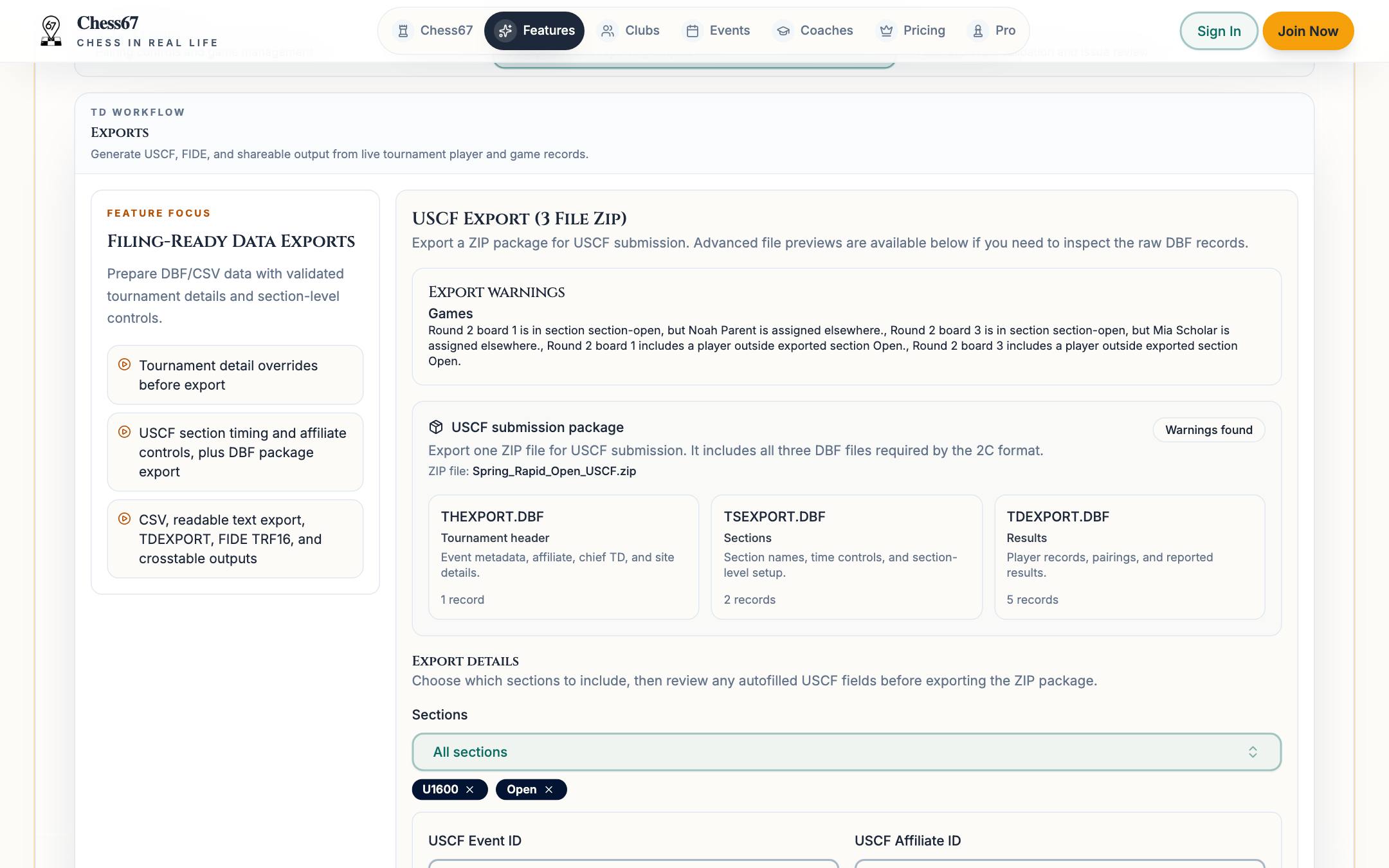
Once the field starts forming, Chess67 handles the operational work: sections, pairings, standings, results, and live event control, with rating checks and report files close at hand.
Use clean roster data from public signup pages instead of rebuilding the field from forms and payment screenshots.
Give each section its own Swiss, round robin, single-elimination, or double-elimination format and manage progression live.
Record results and publish standings without relying on separate spreadsheets or a single local machine.
Keep rating imports, membership checks, federation IDs, and export prep close to the live event.
Push each round's pairings, live standings, or a custom message straight to players' phones and their in-app inbox, so nobody crowds the wall chart.
Tie the tournament back to the club, calendar, posts, members, and future registrations after the event ends.
Skip the wall-chart scramble. Broadcast pairings, standings, or your own note as a push notification players actually see — each one personalized to the recipient.
Players receive push notifications on the Chess67 app (App Store and Google Play) with notifications on; everyone also gets the message in their in-app inbox.
9:41
Pairings Update
You are playing White against Jordan Lee on board 4.
The whole arc of a tournament stays in one system, so nothing is retyped between registration and reporting.
Create sections, pricing, and USCF/FIDE settings once; the public event page and registration flow come from the same setup.
Players and parents register and pay online; membership checks can warn, email, or block lapsed USCF IDs before they reach the roster.
Generate pairings, record results, and publish live standings that players and spectators can follow on their phones.
Run preflight checks and produce USCF and FIDE export drafts, crosstables, and CSVs without rebuilding the data.
This is the TD workspace with sample event data. Switch tabs to explore the tournament page, registration, participant management, round control, exports, and compliance checks.
Preview mode is read-only: nothing you click is saved or submitted.
Run sections, pairings, standings, compliance tasks, and player-facing updates from one screen.
Keep club pages, member communication, tournaments, and registrations inside one year-round platform.
Support family accounts, parent-managed registration, and workflows that fit school and youth events.
Use one repeatable stack instead of rebuilding every event from forms, spreadsheets, and email threads.
Registration, payments, and pairings stay connected instead of being copied across tools.
Assistant staff can work from the same shared system rather than relying on one machine.
Players and parents see the event page, standings, and updates without waiting for manual reposts.
Rating context, federation IDs, and export prep stay attached to the live event instead of being handled as a separate reporting project.
Recurring clubs keep their tournament workflow tied to the same membership and communication platform.
Legacy migrations get easier when public registration and live operations are already in the same product.
Compare a registration-first tool against a broader tournament operations stack.
See how a legacy pairing workflow stacks up against a cloud-based platform.
Review desktop pairing depth versus connected registration, payments, and club operations.
Compare two web-first tournament approaches with different scope beyond event day.
Compare classic pairing and reporting software with a connected cloud workflow.
Review web-based tournament management against broader registration and club continuity.
Publish the event, take registration and payment, pair rounds live, and leave with export-ready reports — all from one system your whole staff can use.