Solo coaches
Launch a profile, publish lesson offers, and start taking payment without a custom site build.
Run the business and teaching sides of coaching in one place. Publish a public profile, get discovered, sell lessons, take payments, schedule bookings, and teach on shared lesson boards built for real chess instruction.
Public coach profile with discovery, reviews, and trust badges
Lesson offers, payments, and booking-aware scheduling support
Shared lesson boards with Chess.com game imports and Lichess game or study imports
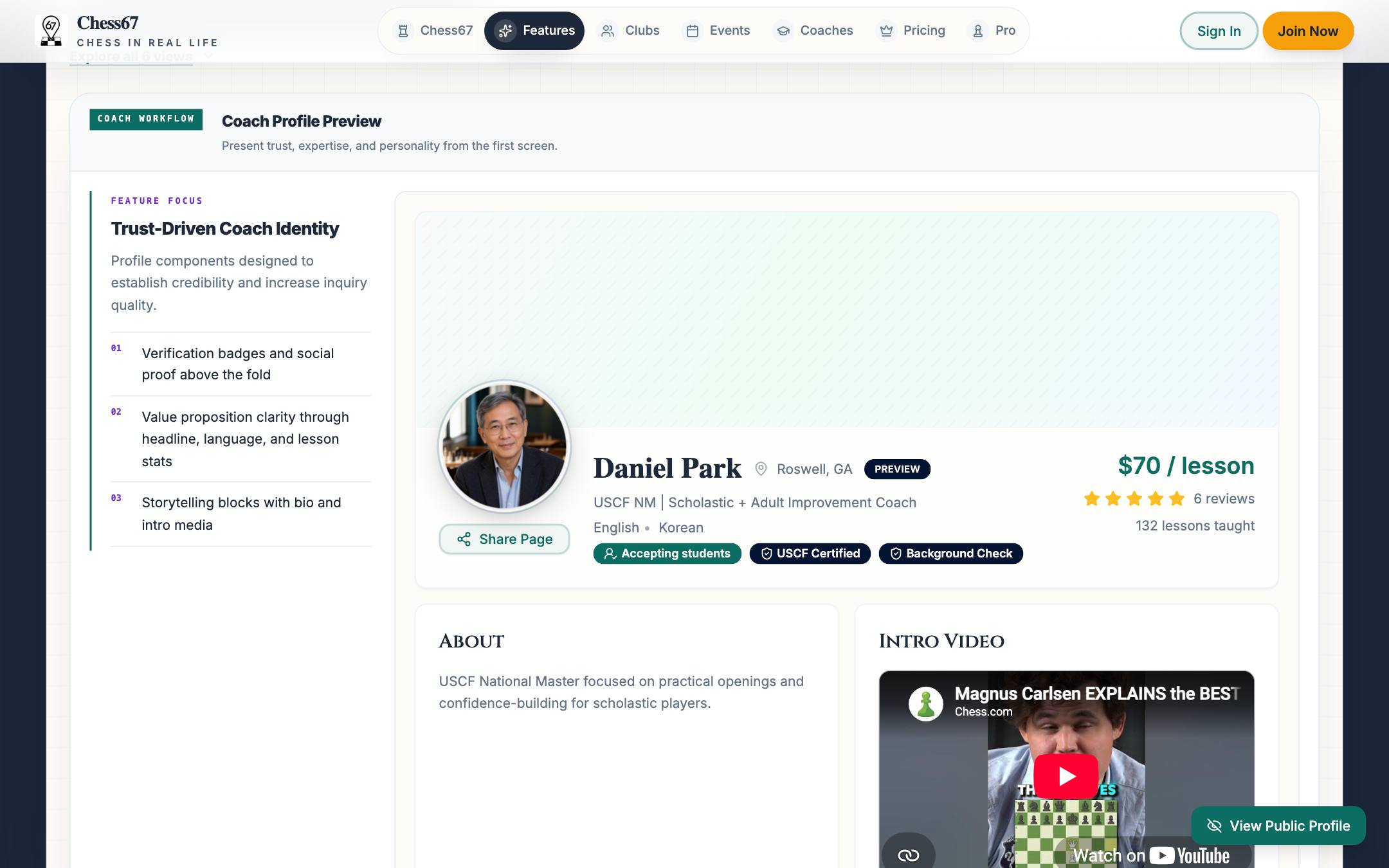
Click through the surfaces coaches use to get found, sell lessons, teach, and build a reputation.
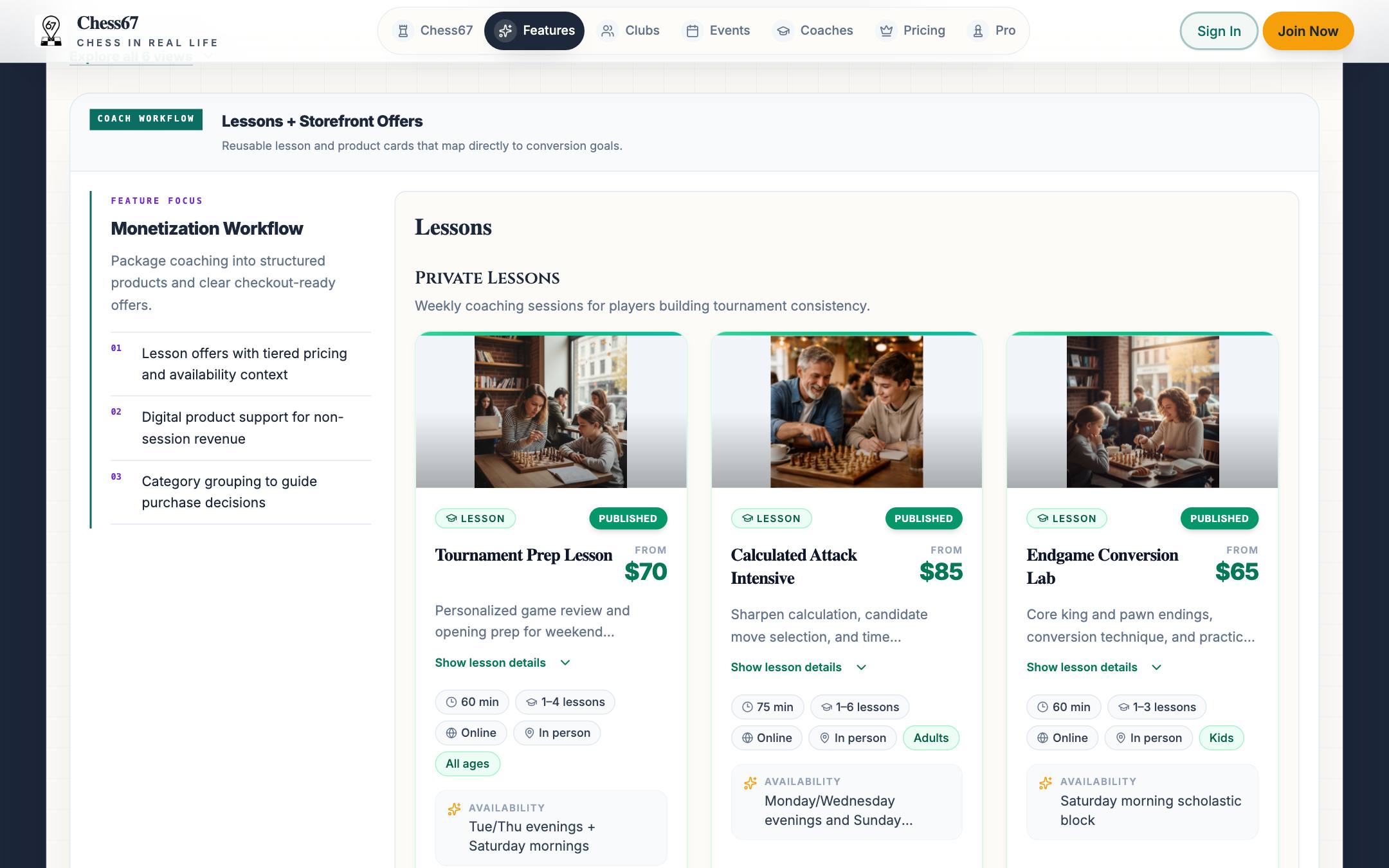
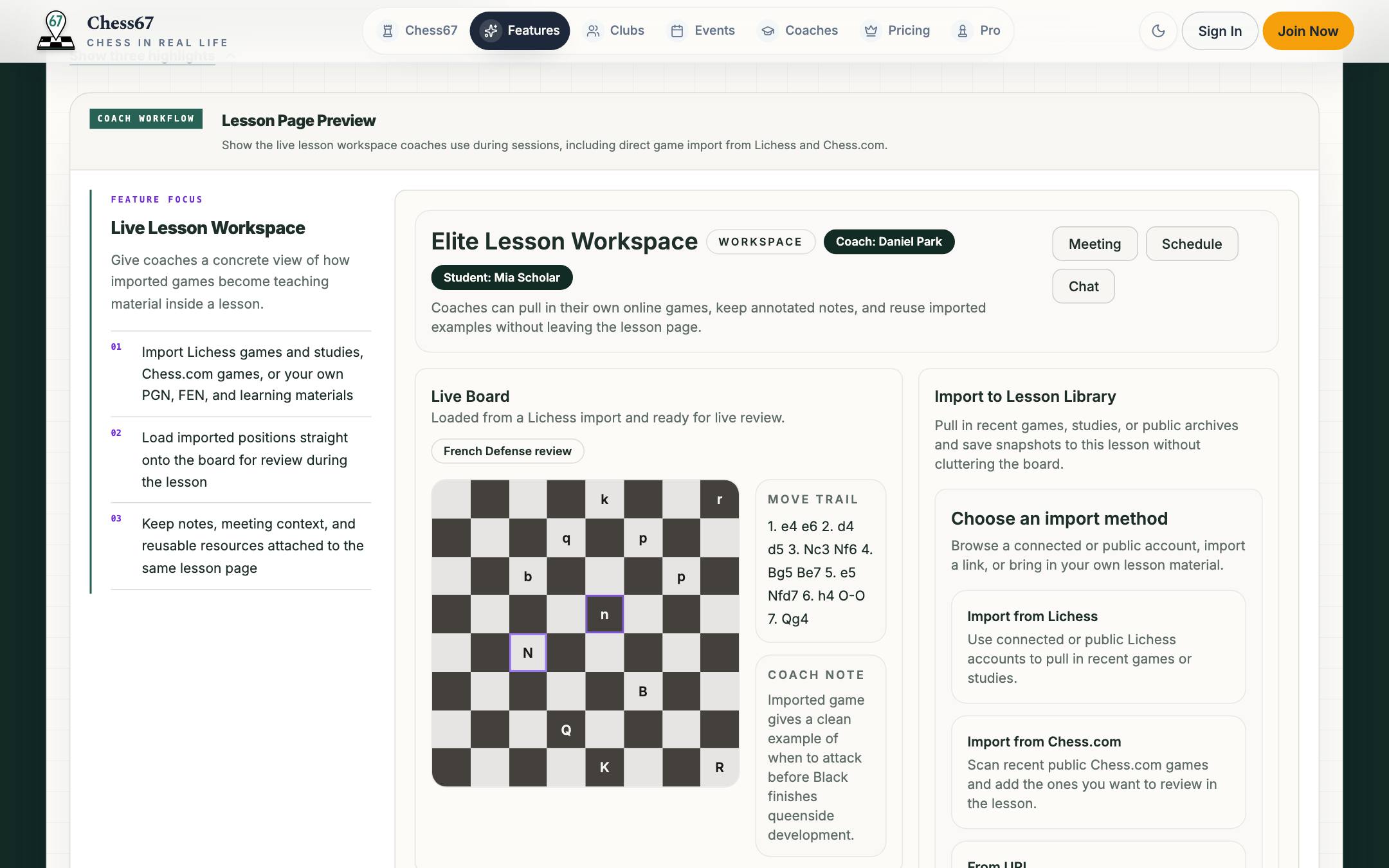
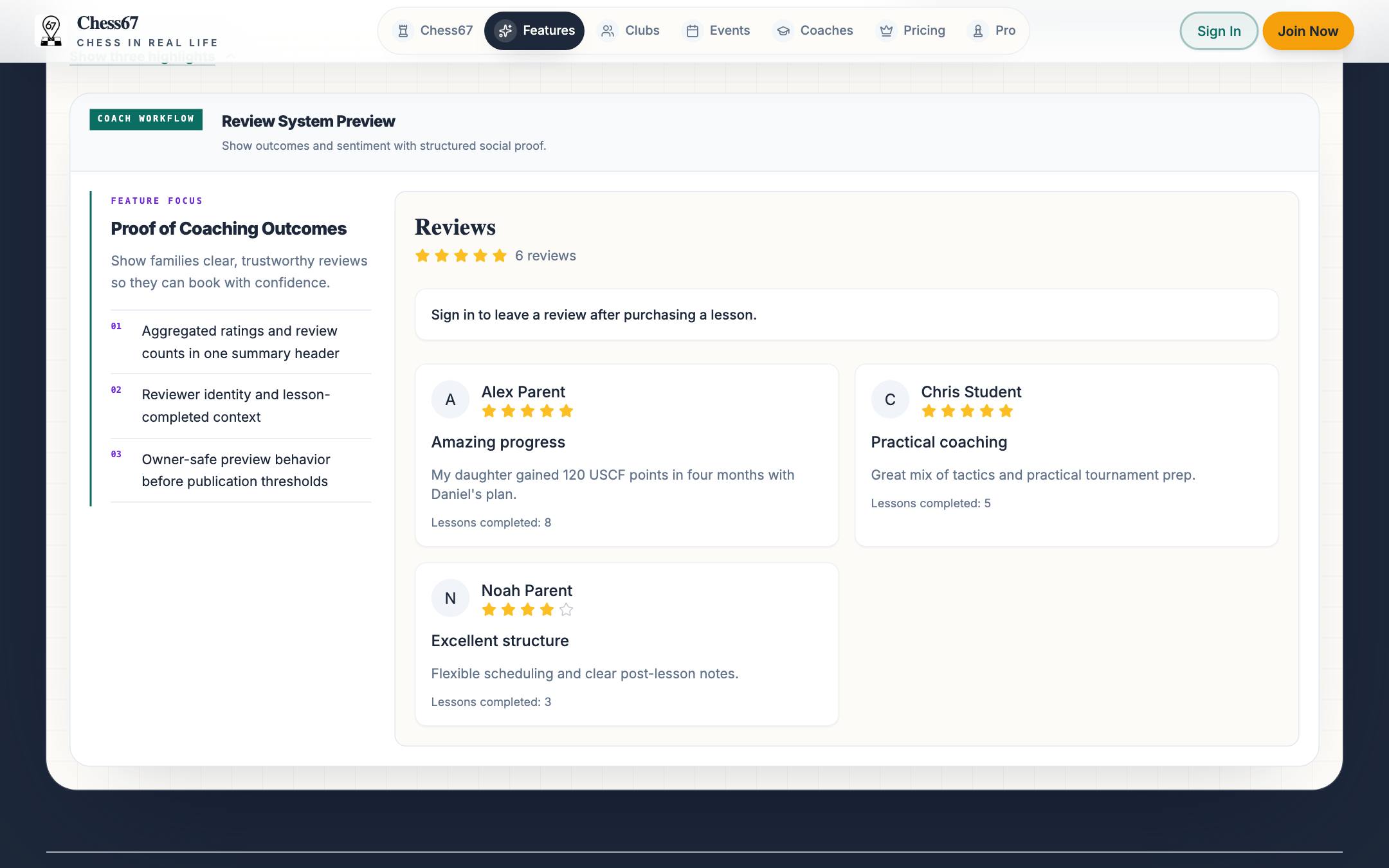
Launch a profile, publish lesson offers, and start taking payment without a custom site build.
Use verification badges, family-friendly workflows, and lesson operations that fit parent decision-making.
Be discoverable for remote lessons and support booking-aware lesson delivery.
Use one profile to support local credibility and online reach instead of splitting your presence.
Set your bio, teaching focus, rate, and credentials; earn verification badges where they apply.
Show up in coach discovery and local landing pages where students and parents are already comparing options.
Publish lesson offers and take payment inside the same flow, with availability and booking windows where configured.
Run live lessons with imported games and studies, and keep notes and material attached to each student.
Collect reviews after lessons so every satisfied student makes the next booking easier.
This is the coach workspace with sample data. Switch tabs to explore the public profile, lesson offers, scheduling, the live lesson page, lesson configuration, and reviews.
Preview mode is read-only: nothing you click is saved or submitted.
Create a hosted profile with bio, ratings, teaching position, and lesson offers.
Show up in coach discovery and related local pages so students can compare options.
Publish lesson products with pricing tiers and clear purchase paths.
Collect lesson payments inside the same coach workflow.
Use coach availability, booking settings, and calendar-aware conflict checks where configured.
Display background, certification, and titled-player verification badges where earned.
Run live lessons, review positions together, and import Chess.com games plus Lichess games or studies into the board workflow.
Point students toward repeatable puzzle cycles when they need structured tactics practice between live lessons.
A strong public profile helps you get discovered without relying entirely on referrals and DMs.
Lesson offers and payments make it easier for interested students to commit right away.
Verification badges and reviews give parents and players more confidence before the first lesson.
Shared lesson boards keep analysis, imports, and live teaching in the same workflow after a student books.
Launch a profile that earns trust, sell lessons with built-in checkout, and teach on shared boards — without stitching together a website, payment links, and scheduling tools.