Go to the right place
Step by step
- Open Find coaches with the coach-bot filter and choose a coach that offers a bot.
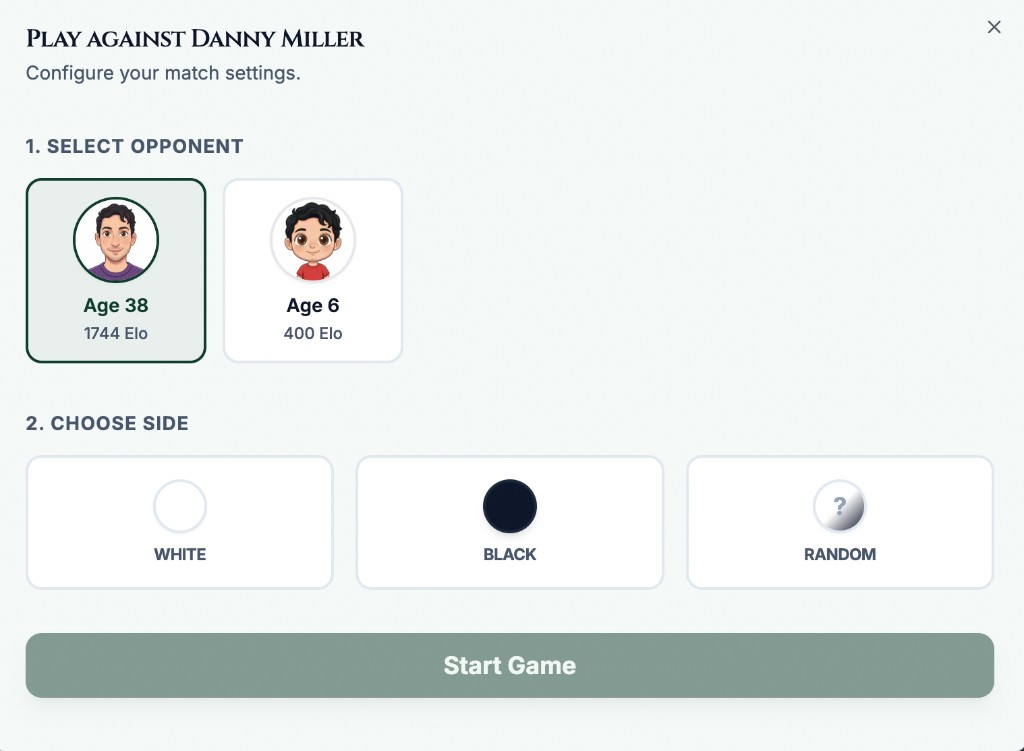
- Open the coach's bot play option and review the match setup.
- Under Select Opponent, choose the available base bot or variation. Use its displayed rating and description to choose a suitable challenge.
- Under Choose Side, select White, Black, or Random.
- Choose Start Game and check the opponent and side shown above the board.
What it looks like
After you finish
You start a practice game against the selected available bot variation.