Go to the right place
Step by step
- Open Coach Portal → Orders.
- Find the purchase using the search and status filters. Check the payer, student, offer, currency, and any previous refunds.
- Choose Refund for an eligible order.
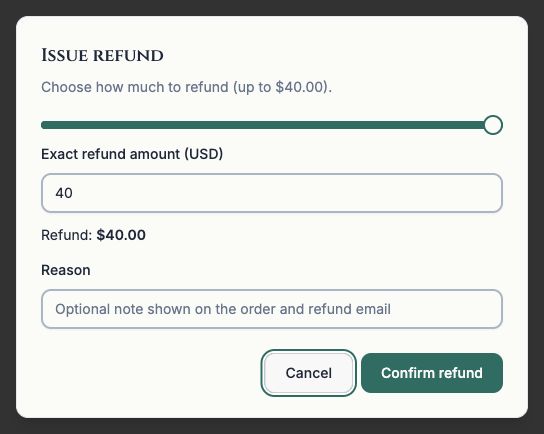
- Enter the amount up to the remaining refundable balance and add an optional reason.
- Review and confirm the refund, then check the updated order.
- Review any related lesson booking separately and agree with the student whether it will still take place.
What it looks like
After you finish
The order records the completed refund. Refunding payment is separate from changing the lesson schedule.