Go to the right place
Step by step
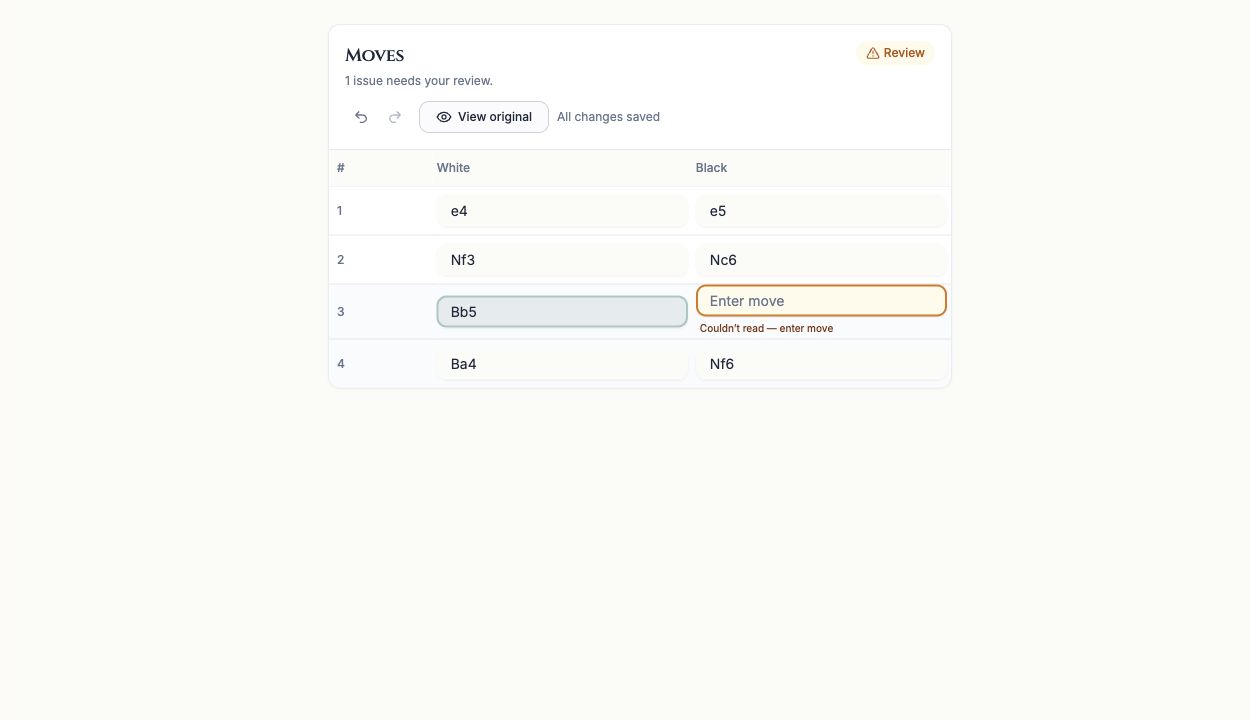
- Open the scanned game's Moves panel and use View original to compare the notation with the photo.
- Start at the earliest unresolved move. Later moves can be invalid because the earlier position is wrong.
- Edit the intended White or Black move using chess notation. Use the row's insert or delete controls if a move is missing or duplicated.
- Step through the board to check the corrected position and recheck the moves after it. An engine suggestion is a possible move, not proof of what was written.
- Use Undo or Redo if a correction was mistaken, then wait for All changes saved. Use Retry save if saving failed.
- Review the whole move list before exporting the full game.
What it looks like
After you finish
The reviewed move sequence matches the original game as closely as the available evidence allows.