Go to the right place
Step by step
- Open the scan and finish reviewing unresolved moves.
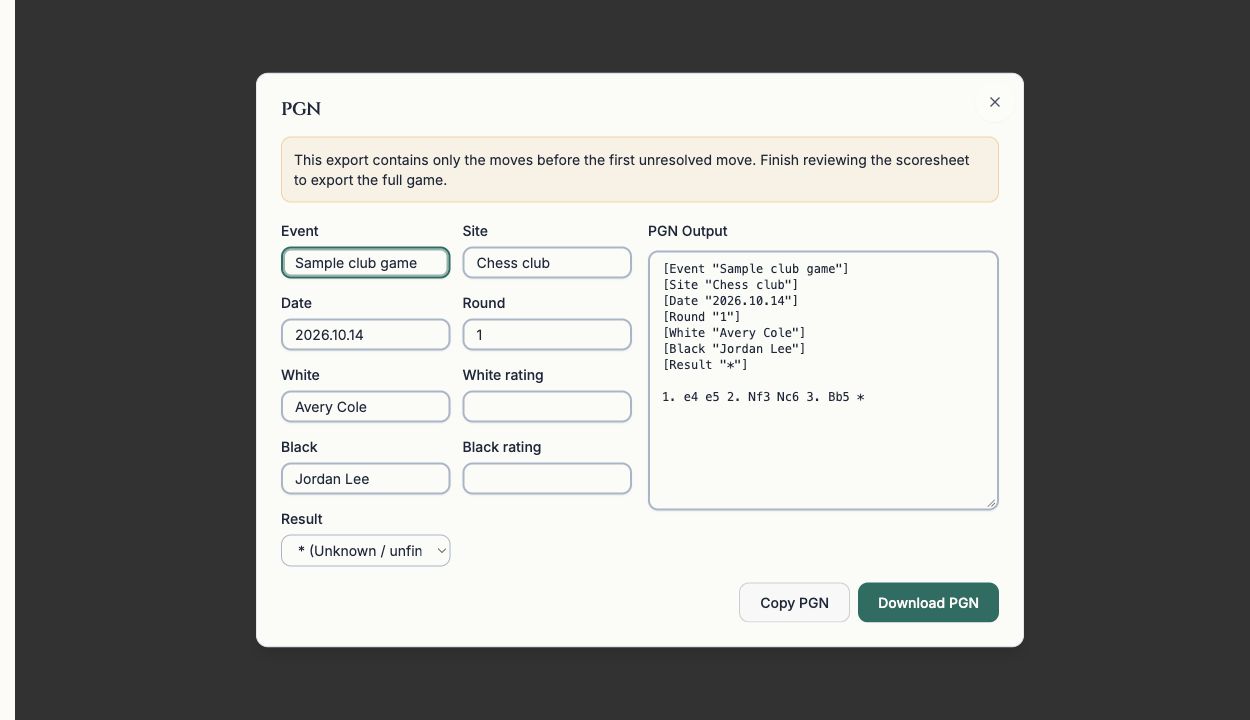
- Choose PGN to open the game details and export preview. PGN is a text format for chess games.
- Check the players, event, date, result, and any other details you want included.
- Read any incomplete-export warning. An unresolved move can limit the export to the moves before it; correct the move to export the full game.
- Choose Copy PGN or Download PGN. To open an analysis site directly, use the available Lichess or Chess.com button on the board.
- Check that the receiving site or downloaded file contains the intended moves and result.
What it looks like
After you finish
You have a reviewed game file or analysis-site view, with any partial export clearly identified.