Go to the right place
Before you start
You need permission to manage the group and its payments. Review every membership linked to the subscription first.
Step by step
- Open Club Admin → Groups and select the membership group.
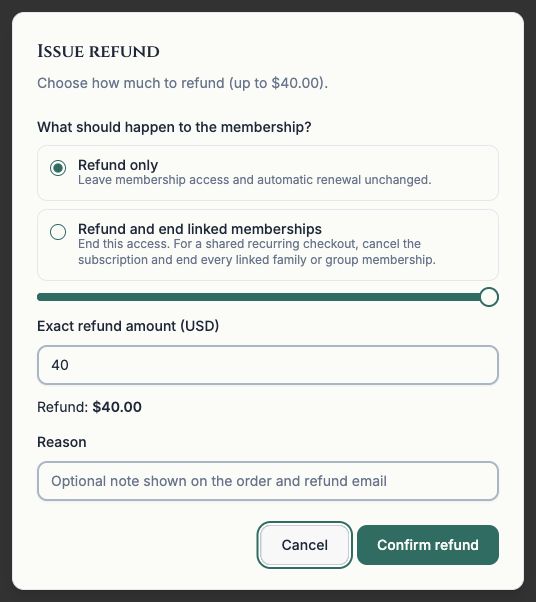
- Open Payments, find the payment, and choose Refund.
- Choose Refund only if the person should keep access and automatic renewal. Choose Refund and end linked memberships if access should end now.
- Read the family and shared subscription warning. Ending a shared subscription affects all linked memberships, not just the row you selected.
- Enter the amount and optional reason, then choose Confirm refund.
- Check both the payment status and membership access. If the refund completed but access needs attention, use Retry ending memberships.
What it looks like
After you finish
The refund record and membership action are tracked separately. Refund only leaves access and renewal in place.