Go to the right place
Before you start
Sign in with Pro access. Use the player's exact public username, not their email or a profile link.
Step by step
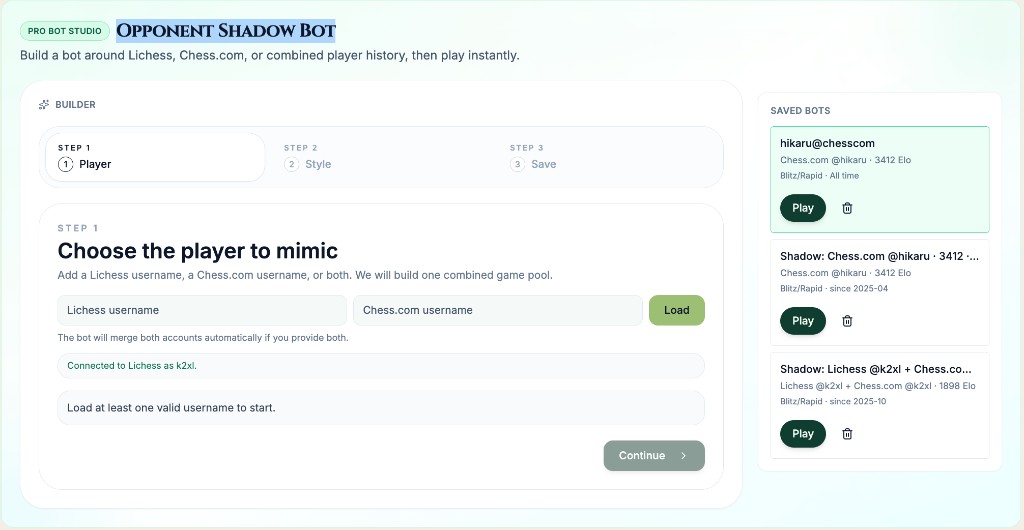
- Open Shadow Bot Studio and enter a Lichess username, a Chess.com username, or both accounts belonging to the intended player.
- Choose Load player history and review the imported game counts and any account-specific warnings.
- Choose playing style, then select the history window and Game speeds that fit your preparation.
- Review the selected game's White and Black pools and wait for the sample to finish loading.
- Choose Review bot, check the history window, speeds, and matched strength, and enter an optional memorable name.
- Choose Save and open bot. Use your saved bot to start a practice game.
What it looks like
After you finish
The saved bot uses the selected player's available public opening history, with engine play beyond that history.