Go to the right place
Before you start
If you’re registering a child, sign in to the adult account that manages their profile. You can add a child under Account → Family.
Step by step
- Open the club’s page and choose Classes in the club menu. Select the class or camp you want. You can also open the link the club sent you.
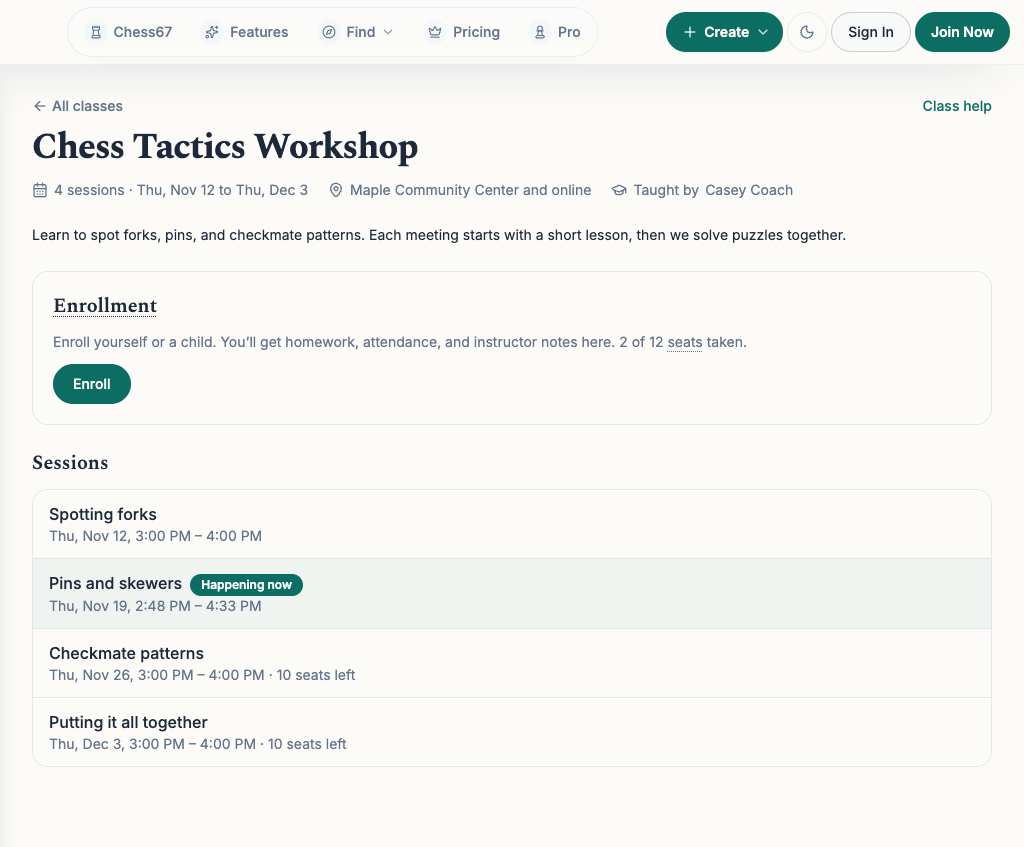
- On the class page, check the session dates and times, where the class meets, and whether places are available. Choose Enroll to open the registration page.
- Choose Register, or the club’s registration button. Select each person who will attend. Leave your own name unselected if only your children are attending.
- Answer the club’s questions and check the total. Finish the free registration or follow the payment instructions. Check the confirmation for the names of the people you registered.
- Choose Open the class page from the registration page. In Enrollment, check each student’s name. If the club lets you choose dates, select Change sessions for that student, then Pick sessions. Select the dates they can attend and choose Save.
- To register another person or change the registration itself, use Enroll someone else or manage your registration on the class page. If the club handles changes for you, contact the organizer.
What it looks like
After you finish
The class page shows who is enrolled and which sessions each person will attend.
Changing session choices leaves the amount you paid the same. You can add future sessions with space. Ask the instructor if a session has already started and needs to be corrected.
Some clubs lower the price once sessions have finished. When this applies, the class page tells you how many sessions are left, and new students are signed up for those sessions. Check the total before paying.