Go to the right place
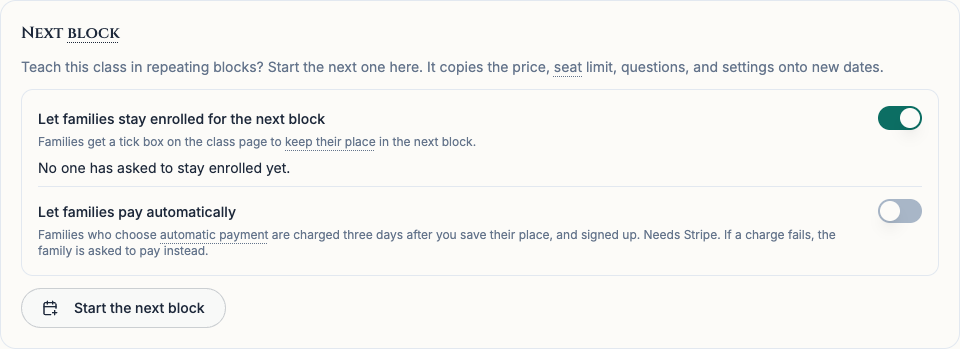
Open Club Admin. Choose Classes, open the current class, and look for Next block in Settings.
Before you start
The club needs an active Stripe account for card payments. Automatic payment is optional for each student, and the adult who will pay must turn it on from their own account.
Step by step
- Turn on Let families stay enrolled for the next block. Then turn on Let families pay automatically.
- Ask families who want automatic payment to choose it on their class page. After they agree, they must pay for a block themselves through Chess67 with Stripe so a card can be saved for future blocks.
- Create the next block, review its price, and save places for returning students. For a family with automatic payment set up and a saved card, Chess67 sends an email with the charge date and the most it will charge. The charge is scheduled for three days after you save the place.
- Review Places saved on the new block’s Settings. If a card is declined, needs approval, or the new price is higher than the amount in the email, Chess67 keeps the student’s place saved and asks the family to complete sign-up and payment themselves.
What it looks like
After you finish
When a scheduled payment succeeds, the student is signed up and the family gets confirmation. Families who choose to pay by hand can use their saved seat to register themselves.
Turning off automatic payment for a block stops scheduled charges for that block that have yet to start. Families can also turn off automatic payment themselves.