Go to the right place
Before you start
Sign in and check the scanner's current access and scan allowance. Use photos from one game per scan.
Step by step
- Open Scoresheet Scanner and select clear scoresheet images from your device. You can also drag and drop or paste an image.
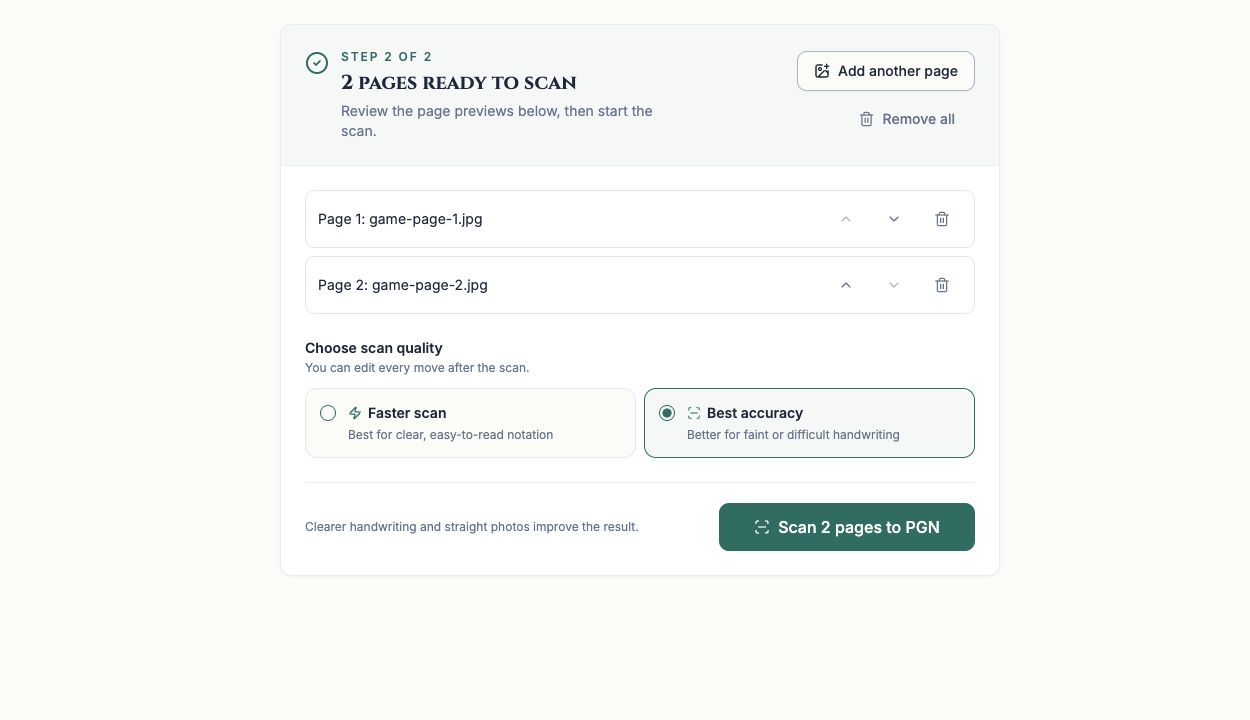
- Include the whole notation page in bright, even light. Add up to five pages from the same game and check their order.
- Choose Faster scan for clear notation or Best accuracy for faint or difficult handwriting.
- Choose Scan to PGN and keep the page open while the moves are being read.
- When review opens, compare the moves with the original photos. Correct missing, unreadable, or invalid moves before treating the game as complete.
- Check the save status, then use PGN to review game details and export the moves.
What it looks like
After you finish
The scanner provides an editable game for review. A successful scan does not guarantee every handwritten move was read correctly.