Go to the right place
Open Club Admin and choose your club. Choose Classes, open the class, and select Settings.
Before you start
You need permission to manage the class. You can invite an adult club member or a coach with a published Chess67 profile.
Step by step
- Open the class and select Settings. Scroll to Instructors.
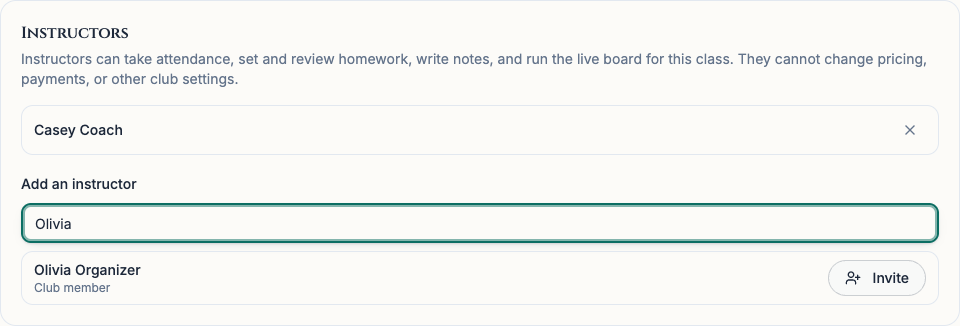
- In Add an instructor, type at least two letters of the person’s name. Check that the result is the right person, then select Invite.
- If you received an invitation, open the class from your email or Chess67 notification. Sign in with the account that was invited, check the schedule, and choose Accept or Decline.
- After the instructor accepts, they can reopen the class to take attendance, assign and review homework, write student notes, and run the live board.
- To remove an instructor or cancel a pending invitation, select the × beside the person’s name in Instructors and confirm.
What it looks like
After you finish
The organizer sees Invitation sent until the instructor responds. Accepted instructors can use the teaching tools for that class. The organizer manages the schedule, pricing, and payments.